
Table of Contents
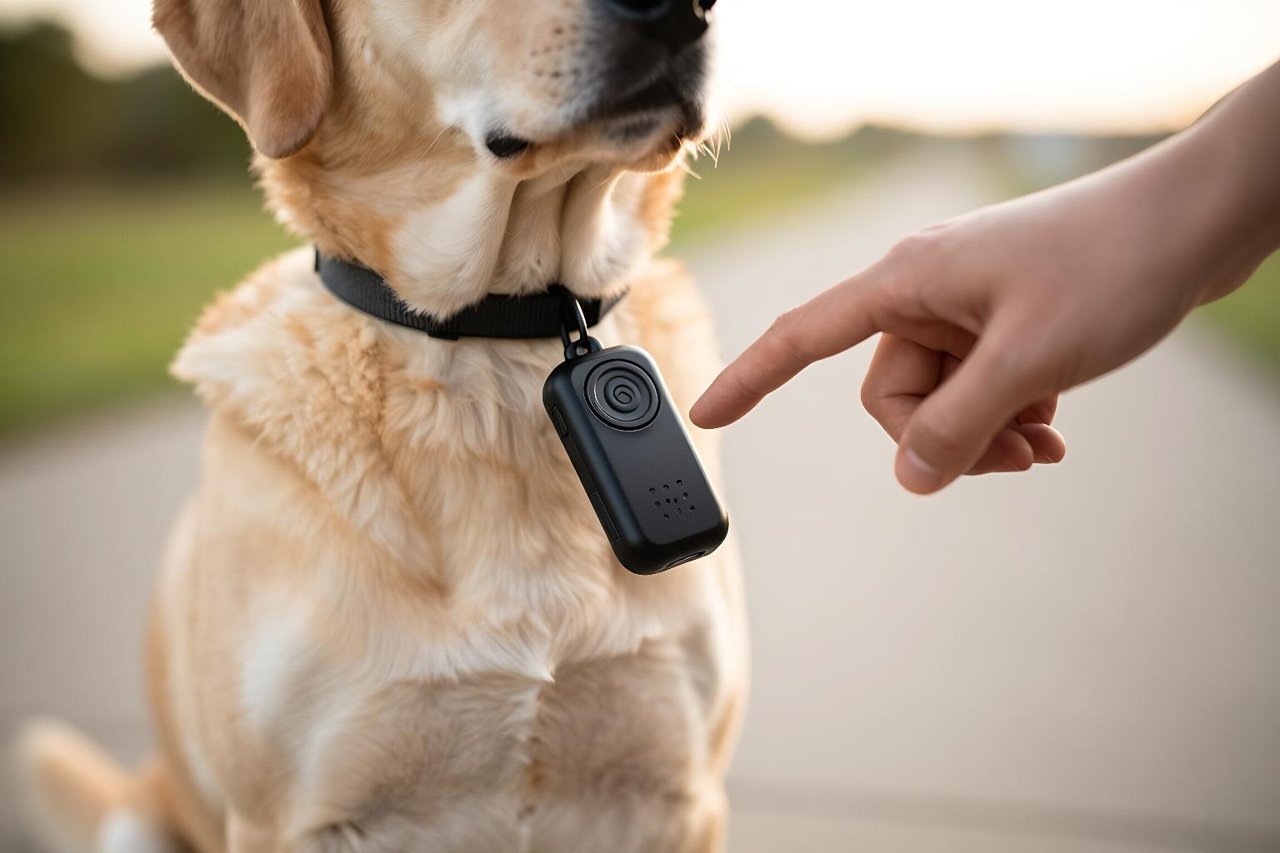
If you’ve been looking for a way to keep tabs on a curious dog, you’ve probably bumped into the phrase “GPRS tracker for dogs.” You might be tempted to skim past it and focus on the GPS part. But you don’t have to be a tech wizard to understand how these devices work — you just need someone to explain it without the buzzwords.
This is that explanation. Call it GPRS 101 for dog owners.
Actually, What’s the Difference Between GPS and GPRS?
This is where most people get lost, so let’s set the record straight. GPS (Global Positioning System) is the part that figures out where your dog is. It uses a network of satellites orbiting Earth, and a tiny receiver on the tracker listens to their signals to calculate a precise location. GPRS (General Packet Radio Service) is an older cellular data technology. But in the pet tracker world, “GPRS” has become shorthand for any tracker that sends its location over a mobile network, usually 3G or 4G.
You can think of it like this: GPS is the dog’s ears listening for satellite cues, while the cellular data connection is the messenger that texts that information to your phone. You need both for a smooth experience.

How Does a GPRS Tracker for Dogs Actually Work?
When you switch the tracker on, its GPS chip tries to lock onto at least four satellites. Once it does, it calculates your dog’s latitude and longitude. That data point is then sent through the cellular network to the company’s cloud server. Finally, your phone app pulls it down and shows you a glowing dot on a map. All of this happens in a few seconds.
The tracker repeats that cycle at set intervals. Some are programmed to update every 5 minutes by default, and others can ping every 10 seconds when you open a live tracking mode. Faster updates use more battery, so most owners settle on a middle ground.
The SIM Card Nobody Warns You About
Because GPRS requires a mobile network, a dog GPRS tracker has a SIM card or an embedded eSIM. That means it needs an active data plan. If you don’t keep the subscription current, your tracker will just blink silently on your pup’s collar. The device isn’t broken; it just lost its cellular voice. Check what network coverage is like in your typical dog-walking spots before you buy, because some trackers rely on specific carriers that may be weak in rural areas.
Is a GPRS Tracker the Right Tool for Your Dog?
Maybe you have a senior dog who naps 20 hours a day, or maybe you have an adolescent Shiba Inu who sees fences as suggestions. Your needs are completely different.
A GPRS tracker is brilliant in towns, suburbs, and other places with decent mobile coverage. It can bring genuine relief after a dog bolts out the front door during a thunderstorm. However, if you spend weekends in remote mountains where cellular signals barely exist, a GPRS tracker might fail you. In those places, you might want a tracking device that connects to satellite communication networks instead. But for most pet parents, GPRS strikes the right balance between price and usefulness.
We compare the four main ways to track a pup, plus their hidden expenses, in another article. As a beginner, you’ll learn why cellular trackers aren’t always the best answer for every hiking trail.
What You’ll Actually Pay Beyond the Sticker Price
That £79 or $99 tracker looks affordable, but don’t ignore the subscription. Most manufacturers charge between £5 and £20 per month for the data plan and app services. Some will make you commit to a year up front. Two years of service can easily cost more than the device itself.
There’s also a quieter cost: battery degradation. Most trackers have built-in batteries that can’t be swapped, so after 300 to 500 charge cycles, the battery starts to lose capacity. That means when you open the app, you might see ‘Good’ at 80%, but after two years those cheap batteries may only last for a day.
One of the most confusing scenarios for beginners is when a tracker says “offline” but the dog is right next to them. Usually it’s not a hardware flaw but a coverage dead zone or a suspension of service. It’s such a common problem that we’ve dedicated a whole article to the real reasons why GPRS trackers keep failing. If you start troubleshooting, read that first.
What to Look for in a GPRS Tracker for Dogs
Here’s a short checklist to guide you through the specs aisle:
- Battery life: Look for seven days or more on a single charge. Real-world battery life is often half of what the manufacturer claims, just like with phones.
- Water resistance: Choose at least IP67, so the tracker can handle rain, mud, and an accidental dunk in a water bowl.
- Weight: For a 10-kilogram dog, a 100-gram tracker might be too heavy. Small dogs need featherweight options.
- Update interval: Some trackers allow you to choose between 15-second and 5-minute updates. Faster drains the battery, so check how you can adjust it.
- Geofencing: Set up a ‘safe zone’ around your home and the app will send an alert if your dog leaves the perimeter.
- Subscription plan: Look at the full cost over two years, and confirm there’s no activation fee.
You don’t need to become a product-nerd overnight. If you want to skip the marketing speak, our step-by-step guide to picking a dog tracker will help you weigh battery life, GPS accuracy, and monthly fees without losing your mind.
Getting Started: Your First 48 Hours With a New Tracker
When the gadget arrives, resist the urge to clip it on and head outside immediately. Instead, spend the first evening setting it up thoroughly.
First, fully charge the tracker and follow the app’s activation steps. For many trackers, you’ll need to update the firmware or activate the SIM profile before the device will connect. If you skip this, the tracker might show up as “offline” while it’s sitting on your kitchen table.
Next, go for a short walk with your dog and keep an eye on the live map. Does the tracker’s icon actually move? Does it jump between streets or does it follow your route smoothly? That little exercise will tell you if you have a strong GPS lock and a reliable data connection in your neighbourhood.
Then do a staged escape test. Ask your partner to take your dog somewhere familiar, like a nearby park, while you stay at home. Open the app and see the tracker’s location update. Don’t wait for the first emergency to learn that your new gadget has a blind spot. We’ve written a detailed first-48-hour field guide that walks you through these exact tests. It’s worth reading before you trust the technology with your dog’s safety.
Seven Beginner Mistakes You Can Avoid
After seeing dozens of online reviews from confused owners, we can tell you: most problems come from three things. People forget about the subscription, they attach the tracker wrongly, or they assume it must work in every corner of the countryside.
Some owners also position the tracker flat on the collar, with the antenna pointing toward the skin instead of the sky. GPS signals struggle to pass through a thick dog coat and a metal tag. Sit the tracker upright, ideally on the side of the collar, and make sure it has a clear view upward.
If you want to steer clear of frustration entirely, scan through the list of seven tracker mistakes that most owners make. Each one is a lesson that someone else already paid for, and you can learn them for free.
Your Next Steps: Fit Trackers Into a Routine
Once you understand how it works and how to choose it, the rest is muscle memory. The most effective tracker is one that’s always on and charged. So add a weekly ritual: on Sunday evening, plug the tracker in, clean the charging contacts with a dry cloth, and open the app to confirm it’s reporting.
Take a few minutes to explore the app’s extras, like location history and activity logs. You might discover that your dog’s favourite path isn’t where you thought, or that they’ve been visiting a compost bin two doors down. That’s not just fun—it’s part of building a mental map of where a dog would go if they slipped off the lead.
No GPRS tracker will replace solid recall training or a sturdy fence. Think of it as a safety net, not a babysitter. You’ll still want to keep an ID tag with your phone number on your dog’s collar; a tracker can tell you which backyard your dog is in, but an ID tag tells the neighbour who to call first.
You now know more than most dog owners about this technology. Find the GPRS tracker that suits your dog’s weight, your walking habits, and your wallet, then test it properly. When the day comes that your dog slips through a gate or chases a squirrel out of sight, you’ll be glad you took the time to understand it.


