
Table of Contents
Not long ago, if a dog slipped out through an open gate, your options were pretty limited: drive around, post flyers, and hope. These days, a small device clipped to their collar can show you their exact spot on your phone. But sifting through the tech specs for the first time can feel like learning a foreign language. What does GPS even mean in a dog collar? Why do some trackers cost money every month and others don’t?
Here’s the short version of how it all works, what you actually need, and where first-time buyers get tripped up.
What a Tracker for My Dog Actually Does
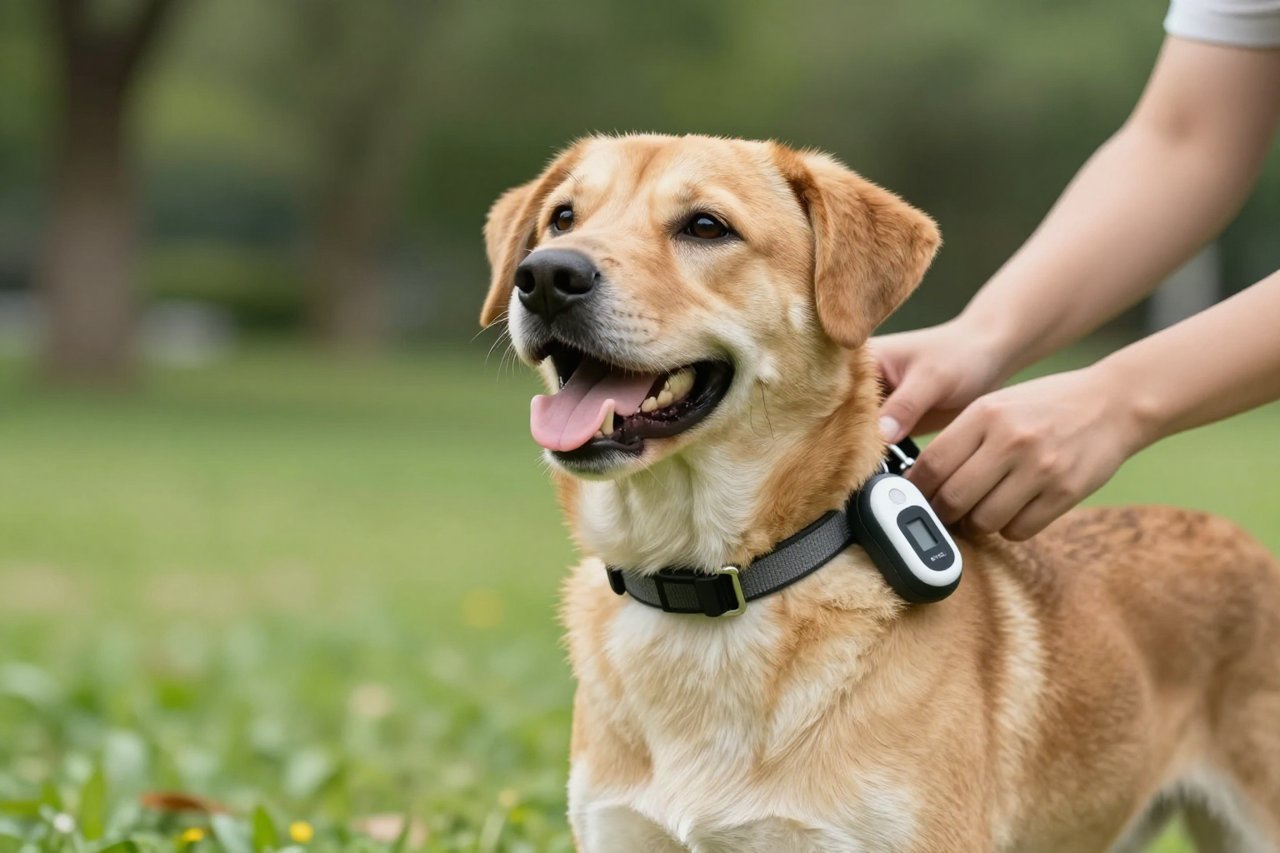
A tracker for my dog does two basic things: it learns where the dog is, and it reports that location to you. Most do this with a combination of GPS and the Internet. The GPS part fixes the position. The dog collar’s built-in cellular connection sends that position to a phone app through a network. When you open the app, you see a map pin.
That’s it. Everything else is extra. Many trackers also log activity, count steps, and help you set “safe zones” called geofences. If your dog leaves the virtual boundary, you get an alert.

Something important: a GPS tracker is not a microchip. A microchip is a permanent ID implant that only helps if someone takes your dog to a vet or shelter to scan for ownership. It doesn’t tell you where they are right now. You need a separate GPS device for live location.
GPS Trackers vs. Bluetooth Trackers vs. Radio Trackers
Not every device that calls itself a tracker uses GPS. There are three main kinds, and they have fundamentally different strengths.
GPS + Cellular Trackers
These are what most people picture. The collar receives satellite signals, then uses a tiny SIM card to make an internet connection. Real-world range is effectively unlimited as long as there is cellular coverage. This is the best choice if your dog is an escape artist or you live near woods, fields, or busy roads.
Bluetooth Trackers
These rely on a wireless connection to your phone or nearby Bluetooth devices. They work great for finding lost keys under the sofa, but range is usually around 100 to 200 metres. If the dog runs fast and far, that’s useless. They can help if you are in a crowded, unfamiliar place and your dog is within range, but they don’t solve the “escaped through the hedge” scenario.
Radio Frequency Trackers
These use a handheld receiver and a directional antenna. You walk in the suspected area and follow the signal strength. They don’t depend on mobile networks at all, so they can be a backup in very remote areas, but you need to be reasonably close. They also don’t give you a map location.
If you’d rather skip the theory and look at real models next to each other, I compared six of them in one hands-on comparison of GPS collars. It’s a good place to see price differences and physical sizes.
What to Look for When Shopping
Once you know which type you need, focus on five things before trusting any tracker near your dog’s neck.
1. Cellular Coverage in Your Area
A GPS tracker is only as useful as the network it talks to. Many models use mobile networks with older technology. If you live in a rural spot where the signal is weak, you won’t be able to get updates at all. Before you buy, check a coverage map or read owner reviews from people in your county. The reason trackers fail is often not the GPS satellite but the cellular connection, and it’s something people don’t expect until they need it. Read more in my article on why GPRS dog trackers keep failing.
2. Battery Life and Update Frequency
Battery life is the biggest trade-off in dog tracking. A tracker that updates its location every second needs heavy battery. If you want weeks of battery, the device might only send its position every few minutes. For a dog who likes to roam on a farm, a tracker that updates every minute is fine. For a dog in a busy neighbourhood, you probably want near real-time updates. Manage your expectations. Most GPS collars with good update frequency need a charge every two to five days. The size of the device is a factor too, because larger batteries make larger collars.
3. Size and Weight Relative to Your Dog
Not all trackers suit all breeds. A bulky tracker on a 5kg chihuahua can rub and irritate. There are lighter models for smaller dogs, but they often have shorter battery life. Weigh the dog and then check the device specs. The tracker should hang comfortably without pulling the collar to one side.
4. Monthly Fees and Hidden Costs
Some trackers charge nothing beyond the initial purchase because they use a local Bluetooth connection. Long-range GPS trackers, however, often require a monthly subscription to cover mobile data. You might pay €5 to €15 a month, or around €60 to €120 per year. Some brands offer lifetime plans but they often lock you into that brand. Always read what is included. A device itself can look cheap but cost more over four years than a more expensive one with no subscription.
5. Comfort and How It Attaches
Does the unit clip, slide onto a collar, or need a special strap? If the dog shakes a lot, will it stay put? Some trackers are built into the collar fabric; others hang like a pendant. Consider what your dog is used to and how the tracker behaves during a dash through the bushes.
Mistakes That Can Ruin a Dog Tracker Before You Even Use It
It is tempting to buy the cheapest GPS tracker and throw it on the collar. But a few predictable mistakes make people think the technology is broken when it is usually an owner error. For example, forgetting to register the SIM card, placing the tracker on a metal collar that blocks the antenna, or setting the geofence radius too small so the phone buzzes every time the dog goes into the garden.
I wrote a separate list of seven tracker mistakes most owners make, but the short version is: charge it for as long as the instructions say, make sure the app has permission to run in the background, and never rely purely on a tracker without a physical ID tag as backup.
Also, know what not to expect. GPS accuracy is usually within 5 to 10 metres, not centimetres. In dense woodland or next to tall buildings, the position can lag for a moment. You’re looking for the dog, not the exact blade of grass they are sniffing.
Setting Up Your Dog GPS Tracker the Right Way
Most apps push you through the setup in under ten minutes. Don’t rush it. Do these steps in order:
- Charge the tracker fully first. Many units ship with low battery, and a dead tracker is worse than no tracker.
- Download the companion app and create an account.
- Register the tracker with the code in the box and activate any SIM card.
- Put the collar on your dog in the house and let them wear it for an hour before trusting it. Some dogs are confused by a new weight.
- Go outside and test the live location. Use a friend or family member to hold the dog while you stand at a different end of the park.
- Then set a geofence around your garden or home.
The physical setup is often less tricky than the app permissions. Phone operating systems nowadays block background data by default, which means the tracker may look offline when your screen is off. If you update the app and nothing shows, check notification access and battery optimisation. New issue? Wait a moment. I also wrote a full step-by-step guide to setting up a tracker for your dog if you run into trouble.
Three Questions to Ask Before You Buy
Before you settle on one, ask these:
Where does your dog actually go? If they are always within 100 metres, a cheap Bluetooth tracker can suffice. If they are a true wanderer, cellular GPS is worth the monthly fee.
Who is going to charge it? If the answer is “I’ll forget”, buy a model with longer battery and accept slower updates.
What will happen if the network shuts down? Some older trackers depend on 2G or 3G, which is being switched off in many countries. A device that worked when you bought it may become useless. That is not a reason to skip GPS, just a reason to buy something current.


