
Table of Contents
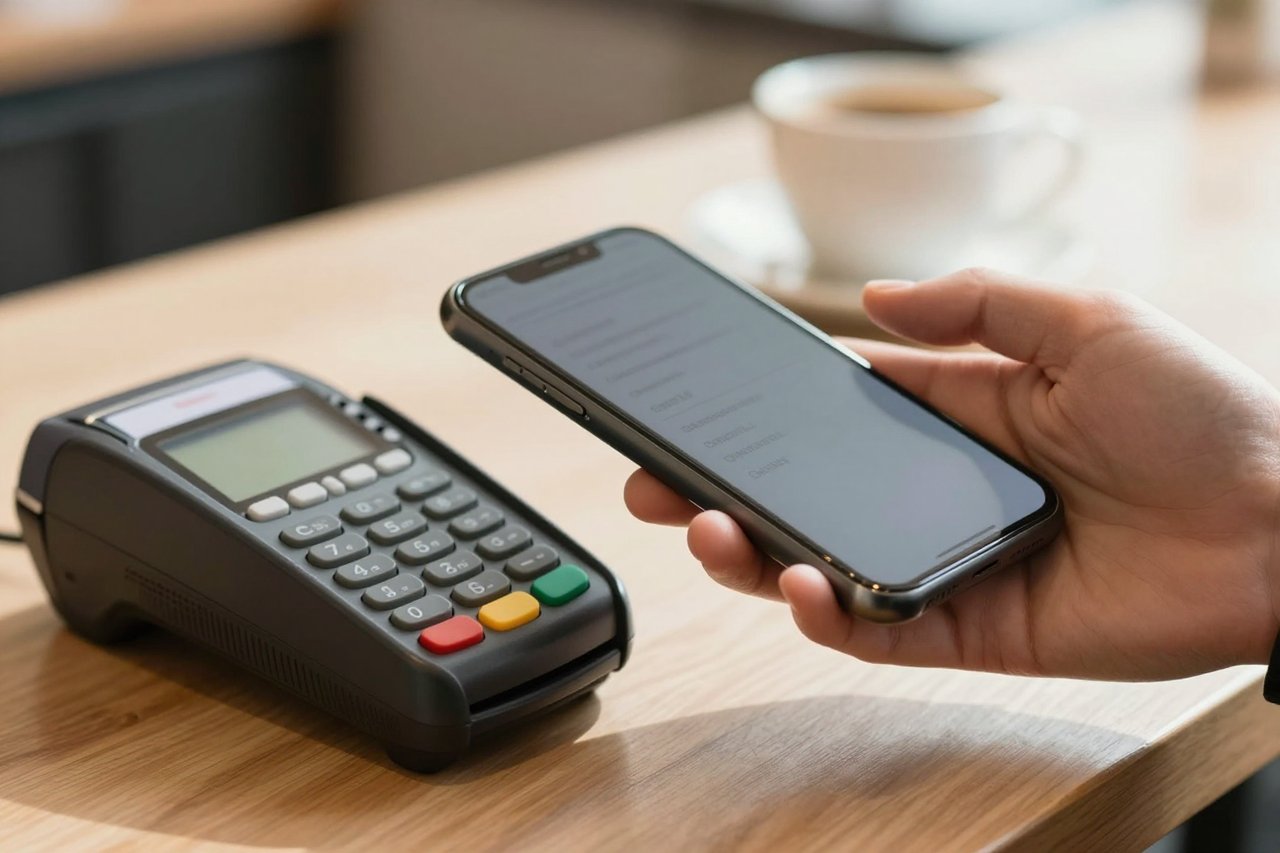
You hold your phone over a payment terminal, hear a quick beep, and walk away with coffee in hand. No swipe, no PIN, no app opened. That tiny handshake is near-field communication at work, and it happens millions of times a day in shops, subway stations, offices, and front doors.
NFC is easy to use, which makes it easy to overlook. It is also surrounded by a fair amount of confusion. People mix it up with Bluetooth, assume it drains the battery, or worry that a stranger can skim their bank card from across the street. The reality is more ordinary and more useful.
What Is Near-Field Communication?
Near-field communication (NFC) is a short-range wireless technology that lets two devices exchange small amounts of data when they are inches apart. The working range is usually 4 centimeters or less, roughly the distance between a phone and a card reader. NFC runs at 13.56 MHz and is built on high-frequency RFID standards.
It is not a replacement for Wi-Fi or mobile data. NFC creates a brief, private link so devices can identify each other and pass a small packet of information. That packet might be a payment token, a transit fare, a pairing code, or a web address stored on a sticker.

Most phones made in the last decade have an NFC chip and antenna tucked behind the back panel. The same technology sits inside bank cards, key fobs, transit passes, and tiny battery-free tags.
How NFC Works in Practice
NFC uses two roles. An active device, such as a phone or payment terminal, generates a small electromagnetic field. A passive tag has no battery; it draws power from that field, wakes up, and replies with stored data. Two active devices can also talk to each other, with one field powering the conversation.
Tap your phone on a terminal and four things happen in under a second:
- The phone and terminal detect each other.
- They agree on a communication method.
- The phone sends a one-time payment token rather than your real card number.
- The terminal confirms the transaction and the payment completes.
The data rate is modest, somewhere around 106 to 424 kilobits per second. That is plenty for a payment token or a URL and far too slow for streaming a video. NFC’s real talent is setup: it gets two devices talking securely without menus, passwords, or Bluetooth pairing screens.
Where You Already Use NFC
Contactless payments
Apple Pay, Google Wallet, Samsung Wallet, and contactless bank cards all rely on NFC. You add a card to your phone, the bank creates a digital token, and the terminal reads that token. Your actual card number is not stored on the terminal or sent over the air during the tap. A fingerprint, face scan, or PIN usually authorizes the payment first.
Transit and access cards
London’s Oyster card, Hong Kong’s Octopus card, and many city transit passes use NFC-style technology. So do office badges, hotel room keys, gym lockers, and apartment fobs. The card or phone holds a credential; the reader checks it and opens the gate, door, or turnstile.
Pairing and quick sharing
Some headphones, speakers, and cameras use NFC to simplify Bluetooth pairing. Tap the phone to the device, confirm the prompt, and the two connect without digging through settings. NFC can also share a contact card, a Wi-Fi password, or a short link between two phones.
NFC tags
NFC tags are cheap stickers or key fobs with a tiny chip and antenna inside. You can program one to open a website, start a routine, or send a preset text. Stick a tag by the front door to trigger a leaving-home routine, or put one on your desk to start focus mode. A tag on a washing machine could link to the manual. A tag on a business card could open your contact page.
NFC vs RFID vs Bluetooth
NFC is a subset of RFID, specifically high-frequency RFID at 13.56 MHz. RFID covers a huge family of technologies, from warehouse inventory scanners that read tags several meters away to pet microchips. NFC is the tightly controlled, very short-range branch designed for consumer devices.
Bluetooth also connects devices wirelessly, but it works over roughly 10 meters and moves far more data. It is better for headphones, file transfers, and keyboards. NFC is better for a one-second handshake that tells two devices to connect or complete a transaction.
QR codes are another comparison. They need a camera, decent lighting, and a visible square. NFC needs a tap and no line of sight, though it does require the devices to be close and the tag to be in the right spot.
Is NFC Secure?
The short range helps, but it is not the whole security story. Payment systems add encryption, tokenization, and device authentication. A thief cannot simply stand near you and clone your phone’s payment credential. Contactless bank cards use one-time cryptograms for each transaction, which makes replay attacks difficult.
There are still sensible habits. Keep your phone locked with a strong passcode. Use biometric or PIN confirmation for payments. Enable remote wipe in case the phone is lost. Be careful with unknown NFC tags in public places; a sticker could point to a malicious website or trigger an action you did not intend. Review any prompt before you approve it.
Research has shown that relay attacks are theoretically possible with contactless cards, where one device relays a signal to another nearby. In practice, these attacks require specialized equipment and close physical proximity. The bigger risk for most people is losing an unlocked phone or falling for a phishing link, not a stranger secretly reading a card through a wallet.
What NFC Cannot Do
NFC will not replace Wi-Fi, Bluetooth, or a cable for moving large files. The range is deliberately tiny, the data rate is low, and passive tags hold very little information. Metal interferes with the signal, which is why some tags come with a ferrite layer for attaching to metal surfaces. Thick phone cases, magnetic mounts, and wallet cases with card slots can also block the antenna.
Not every phone has NFC, especially older budget models. Check before you buy a product that depends on it. And do not expect NFC to work across a room or through a wall. It is a proximity tool, not a networking standard.
Checking Your Phone and Trying an NFC Tag
On Android, search Settings for NFC or look under Connected devices and Connection preferences. On iPhone, most models from the iPhone 6 onward support Apple Pay, and recent models can read NFC tags in the background. If your phone supports Apple Pay or Google Wallet, it almost certainly has NFC hardware.
A good first project costs less than a takeaway coffee. Buy a pack of NTAG213 or NTAG215 stickers and an app such as NFC Tools. Write a simple URL to a tag, test it with your phone, then stick it somewhere useful. Try a tag near the door that opens your smart-home app, or one on a bedside table that starts a sleep routine. Test the position before peeling the backing; the sweet spot on most phones is near the top of the back.
Keep the action simple and reversible. A tag that opens a website is harmless. A tag that unlocks a door or changes a security setting deserves a second thought. Treat unknown tags the way you treat unknown links: do not tap and approve without knowing where they lead.
Where NFC Makes the Most Sense
NFC is at its best when a task should take one second and a lot of setup would feel ridiculous. Paying for a train ticket, opening an office door, pairing a speaker, or launching a routine from a sticker all fit that pattern. It is less useful for moving photos, connecting across a room, or replacing barcodes at long range.
The technology has quietly become plumbing. When it works, you barely notice it. When a terminal is slow or a tag is stuck to metal, the friction is obvious. That quiet reliability is the point. A standard that has been around since the early 2000s has been refined into one of the most frictionless interfaces we have, and it is probably in your pocket right now.


