
Table of Contents
A cracked screen on a two-year-old flagship costs roughly $250 to replace at a high-street repair shop. Water in the charging port can kill a phone outright, and no repair brings your photos back. Almost none of the damage phones suffer is dramatic, though. It builds up from small decisions: setting the phone down screen-first, charging it under a pillow, leaving it on a dashboard in July.
Protecting a phone isn’t complicated. It rewards consistency more than spending.
Start With a Case — Any Case, Really
The biggest predictor of a cracked screen is whether the phone had a case on it when it fell. On a waist-high drop onto concrete, the gap between a bare handset and a $15 TPU shell is usually the gap between a working display and a spiderwebbed one. Phones almost always land on a corner, and corners are exactly what a case cushions.
You don’t need a $70 carbon-fibre shell. A basic silicone or TPU case does three things well: absorbs impact at the corners, gives a slick glass back enough grip to stop the phone sliding off a table, and lifts the camera module slightly so the lens doesn’t grind against grit when you set it down.

Cases wear out too. Silicone yellows, TPU stretches, and the inner lining collects sand that acts like sandpaper against the frame. Replace it every 12 to 18 months, or sooner if it’s peeling at the corners.
If you’ve just bought a new handset, it’s worth seeing what accessories actually fit it before you order — reviews like this roundup of the best Google Pixel phones of 2025, with case and accessory picks for each model, tend to flag fit problems you’d otherwise discover the hard way.
Screen Protectors Are Cheap Insurance
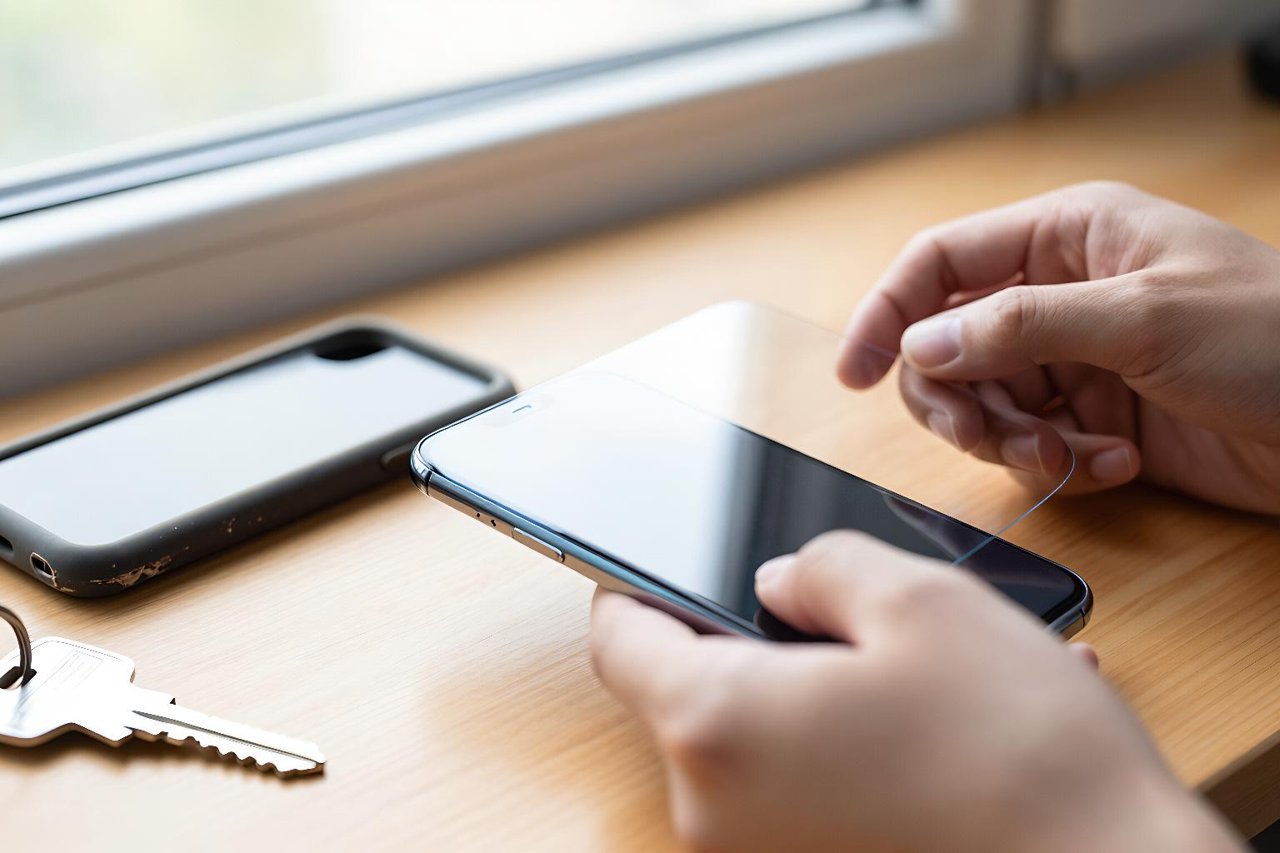
A tempered glass protector costs $8 to $15 and takes about ninety seconds to fit. When it cracks, which it eventually will, you peel it off and press on a new one. The display underneath never knows anything happened.
Tempered glass vs. film
Film protectors are thinner and cheaper, but they only guard against scratches. Tempered glass absorbs impact energy and shatters in a pattern that spreads force sideways rather than into your display. For most people, glass is the better call.
The fit problem nobody warns you about
Screen protectors and cases fight over the same millimetre at the edges. A protector that curls up at the corners is usually being pushed by the case lip. Buy both from the same brand, or read a few reviews before pairing a slim case with a full-coverage protector.
Water Damage Is Usually a Slow Burn
An IP68 rating means a phone survived a lab dunking in fresh water while it was brand new. The rubber gaskets and adhesive seals that keep water out degrade with heat, age, and repeated flexing. A three-year-old phone rated IP68 can absolutely die in a sink.
Where water actually gets in
- Charging ports and speaker grilles, especially after salt water or a chlorinated pool
- Any phone that’s been dropped and has a hairline crack in the frame or back glass
- Steam from bathrooms, kitchens, and saunas, which penetrates vapour far more easily than liquid
If a phone does get wet, switch it off and skip the rice — rice dust works its way into the port and does its own damage. Leave the phone somewhere warm and ventilated with the port facing down for 24 hours, or seal it in a bag with silica gel packets. Don’t plug it in until you’re certain the port is dry. A damp port plus a live cable is how you get corroded pins and a phone that charges only when you hold the cable at exactly the right angle.
Charging Habits Do More Damage Than Drops
Batteries age from heat and from sitting at the extremes of charge. Charging 0% to 100% every single day, especially at high speed, accelerates the chemical wear that quietly shrinks your runtime. Keeping the phone somewhere between roughly 20% and 85% most days can add hundreds of cycles before capacity noticeably drops.
Fast charging isn’t the villain — heat is. If the phone feels warm within thirty seconds of plugging in, the brick is pushing more current than the battery can comfortably absorb. Understanding how fast charging works and what to look for before buying a bigger brick will tell you whether that 120W charger is helping or just cooking your handset.
Cheap cables deserve a mention as well. A $2 cable with thin conductors heats up at the connector, and repeated heat at the port is a common cause of charging failures that look like battery problems.
Heat Is the Quiet Killer
Lithium-ion cells lose capacity permanently above about 35°C. A phone left on a dashboard in direct summer sun can hit 60°C inside twenty minutes, and that one afternoon can shave several percent off its long-term health.
The usual heat sources are unglamorous: gaming while plugged in, navigation in a windscreen mount in July, charging under a pillow, and thick cases during fast charging. If the phone feels hot, take the case off and stop charging it. You can’t undo heat damage once it’s done.
Most of these are habits rather than accidents, and they’re the same ones that turn up repeatedly in this breakdown of smartphone mistakes that shorten device life.
Where You Carry It Matters More Than You Think
A phone in a back pocket plus a firm chair equals a bent frame. On a foldable, it equals a dead inner screen and a repair quote close to half the phone’s value. Keys and coins in the same bag pocket scratch camera glass and sand away the finish around the edges.
- Carry the phone screen-inward against your body in a front pocket or a padded bag sleeve
- Keep it clear of keys, coins, and loose sand
- Use a wrist strap or lanyard on boats, ski lifts, and balconies
- Never leave it on a towel or cushion at the pool or beach, where it will get sat on
Gyms and workshops are worth a special mention. Chalk dust, sawdust, and metal filings are fine enough to get past port covers and lodge in speaker mesh. A zip bag costs almost nothing.
What to Do When the Damage Is Already There
Repair economics are fairly predictable. A screen replacement typically runs 25% to 40% of what the phone cost new. A battery replacement is usually cheap by comparison and often restores two or three hours of daily runtime. If the repair quote exceeds half the phone’s current resale value and the device is out of warranty, replacement usually wins.
Two things are worth doing today, before anything breaks. Check your manufacturer’s warranty terms — many cover battery degradation below 80% health within the first year or two. And turn on automatic cloud backup for photos and messages, because the most common phone disaster isn’t a cracked screen at all. It’s a lost or dead device with three years of pictures that existed in exactly one place.
A $12 protector and a $20 case won’t make a phone indestructible. They will turn the most common accidents into non-events, which is all most of us actually need.


