
Table of Contents
A graphics processing unit, or GPU, is a specialized processor built to handle enormous numbers of small calculations at once. It is the chip that turns a game world into pixels on your screen, speeds up video exports, and trains many of the AI models people use every day. The name sounds narrow. The job is anything but.
Nvidia, AMD, and Intel all make GPUs, and they appear in everything from thin laptops to warehouse-sized data centers. The basic idea stays the same: do many simple jobs in parallel, very quickly, while a CPU handles the complex, sequential work.
What Is a Graphics Processing Unit?
At its core, a graphics processing unit is a processor with thousands of small cores designed for parallel work. A CPU might have 8, 16, or 24 fast cores that excel at branching logic and general-purpose code. A GPU can have thousands of simpler cores that chew through the same operation across huge blocks of data. That design is why a GPU can shade millions of pixels per frame or multiply giant matrices for a neural network without taking all day.
The term covers several forms: discrete graphics cards you plug into a desktop, integrated GPUs built into laptop processors, and data-center accelerators that look more like servers than consumer hardware. All three are graphics processing units. They differ in size, memory, power draw, and price, not in the fundamental reason they exist.

Why GPUs Exist: The Pixel Math Problem
Consider a 4K display. One frame contains 8,294,400 pixels. At 60 frames per second, the system has to produce roughly 500 million pixels every second. Each pixel needs color, lighting, texture, and depth calculations. That is a flood of tiny, similar tasks. A CPU can do them, but it is built to juggle a few complex threads, not half a billion simple ones per second.
Early 3D games made this limit obvious. Hardware such as the 3dfx Voodoo in the late 1990s offloaded triangle setup and texture mapping from the CPU. The result was smoother frame rates and richer visuals. Modern GPUs go much further: they handle geometry, shading, ray tracing, and post-processing in pipelines that run thousands of operations in parallel.
GPU vs CPU: Different Tools, Different Jobs
A CPU is the generalist. It handles the operating system, file system, input, physics, and the messy branching logic that keeps a computer responsive. A GPU is the specialist. It thrives on loops, arrays, and matrix math where the same instruction applies to millions of data points.
Think of a CPU as a handful of skilled chefs and a GPU as a stadium full of line cooks. The chefs can improvise a complex menu. The line cooks can assemble 10,000 identical sandwiches if you give them a clear recipe. Neither is better in every situation. The trick is matching the tool to the task.
Where a CPU still wins
A CPU usually wins on tasks with serial dependencies, heavy branching, or low parallelism: booting an OS, running a database transaction, or handling a single-threaded game engine loop. Its cores are also optimized for latency, so a single task finishes quickly.
Where a GPU pulls ahead
A GPU wins when the workload can be split into many independent pieces: rendering a frame, filtering a video, simulating particles, or multiplying the matrices inside a neural network. The same parallel design explains why a mid-range graphics card can outperform a high-end CPU on the right kind of math.
The Main Parts of a GPU
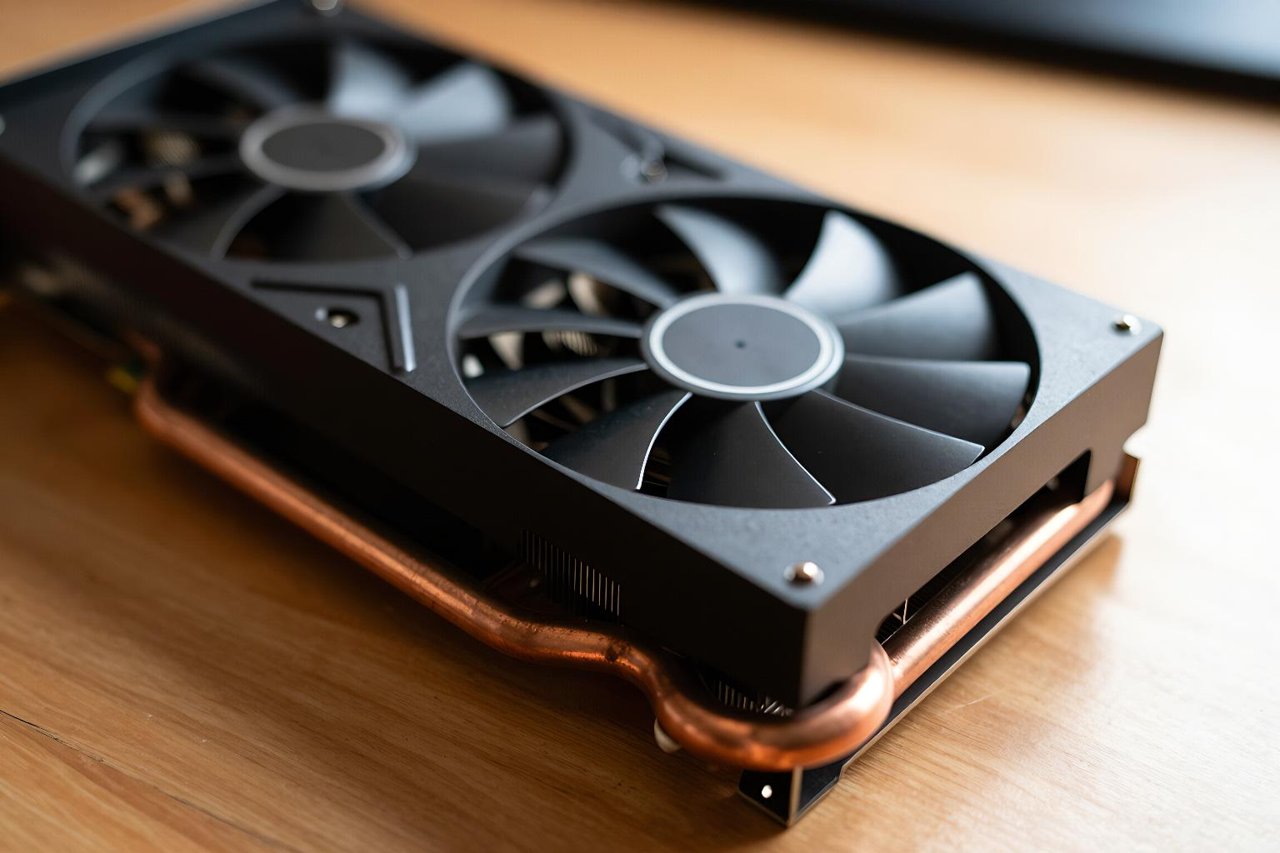
A graphics card is more than one chip. The GPU die sits on a circuit board with memory, power delivery, and cooling around it. The exact layout varies, but most designs share a few key pieces.
- Shader cores: small processors that run vertex, pixel, and compute work. Nvidia calls them CUDA cores, AMD uses stream processors, and Intel uses Xe cores. A consumer card may have 3,000 to 16,000 of them.
- Video memory: VRAM stores textures, frame buffers, and model data. More VRAM helps at high resolutions and with large AI models, but speed and bandwidth matter too.
- Memory bus and bandwidth: a wider bus and faster memory feed the cores. A high-end card can move close to 1 TB of data per second.
- Render output and display engines: these handle anti-aliasing, display output, and video encoding and decoding.
- Cooling and power delivery: a 300 W card needs serious heatsinks and fans. Efficiency matters as much as raw speed.
What GPUs Do Beyond Gaming
Gaming is the headline act, but it is not the whole show. Video editors use GPU acceleration to render effects and export H.265 footage in minutes instead of hours. 3D artists use GPUs for real-time previews in Blender and Unreal Engine. Scientists run molecular simulations and weather models on GPU clusters.
The AI boom made GPUs famous again. In 2012, a neural network called AlexNet trained on two GeForce GTX 580 cards and beat traditional computer vision methods by a wide margin. Today, large language models and image generators rely on data-center GPUs with tens or hundreds of gigabytes of memory. The same parallel math that shades pixels also multiplies the matrices behind a chatbot response.
Some workloads are less obvious. A GPU can speed up password cracking, medical imaging, financial risk models, and video transcoding. It can also mine cryptocurrency, though that use has moved largely to specialized ASICs. The common thread is data-parallel work.
How to Read GPU Specs Without Getting Fooled
Spec sheets are easy to misread. A bigger number is not always a faster card. Architecture, memory bandwidth, driver support, and power limits all change the outcome.
- Core count is not directly comparable across brands. An Nvidia CUDA core and an AMD stream processor are not the same unit. Compare benchmarks for the software you actually use.
- VRAM capacity is not the same as VRAM speed. A card with 16 GB of slow memory can lose to one with 12 GB of fast memory in some games. For AI models, capacity can be the hard limit.
- Clock speed tells only part of the story. A high boost clock means little if the card thermal-throttles after 10 minutes.
- Memory bandwidth matters at high resolutions. 4K gaming and large texture sets put pressure on the bus.
- Power and size are real constraints. Check your power supply connectors, case clearance, and cooling before buying.
Integrated vs Discrete GPUs
An integrated GPU shares memory with the CPU and lives on the same package. It sips power, fits in thin laptops, and handles video playback, light photo editing, and older games. A discrete GPU has its own memory and a dedicated power budget. It is the better choice for modern 3D games, 4K editing, and local AI work.
There is a middle ground now. Integrated graphics such as AMD’s Radeon 780M and Intel’s Arc integrated GPUs can run many games at 1080p with reduced settings. They still cannot match a dedicated card with 200 W of headroom, but the gap is narrower than it was a decade ago.
How to Choose the Right GPU for Your Needs
Start with the software, not the spec sheet. A 1080p esports player has different needs from a 4K video editor or someone fine-tuning a local language model. Set a budget for the whole system, because a fast GPU paired with a weak power supply or a cramped case is a waste.
For 1080p gaming, a current mid-range card with 8 GB to 12 GB of VRAM is usually enough. For 1440p or 4K, look at memory bandwidth and reviews of the specific games you play. For video editing, check hardware encoding support and VRAM. For AI, prioritize memory capacity and software compatibility; a used data-center card can be a bargain if it fits your power and cooling setup.
Drivers matter as much as hardware. Nvidia’s CUDA ecosystem is deeply entrenched in AI and 3D tools. AMD’s ROCm and Intel’s oneAPI are improving, but support varies by application. Read recent user reports for the exact software you rely on.
Finally, ignore the urge to buy for the future. A well-chosen GPU should match your work today, with a little headroom for the next two or three years. The technology moves quickly, and there is always a faster card coming.


