
Table of Contents
On paper, a dog GPS tracker looks like a miracle. You clip the unit to the collar, open the app, and there’s your dog, a green dot on a map. No more midnight searches through the woods. No more heart attack when the gate swings open. Then you actually use it for the first time and realise the dot is three minutes old, the battery is at 14 percent, and the app is showing an address on the other side of a lake. One bad experience like that can destroy your trust in a perfectly good tool.
Most of those failures aren’t the tracker’s fault. They’re the result of assumptions, myths, that people believe before they buy. This article doesn’t cover beginner basics. It digs into the specific, common pitfalls that turn a solid dog tracker with GPS into an expensive paperweight, and what to do instead.
Myth 1: GPS Works Anywhere, Anytime
GPS uses radio signals from satellites, and those signals have a hard time reaching the ground when something is in the way. A dense forest, a deep canyon, or even a house with a thick roof can block the connection. Your dog won’t disappear from the map forever, but the tracker may only show an update when your pup gets back to a clear patch of sky.
The related problem is cellular coverage. Most trackers combine GPS with a cellular network to send the location to your phone. If you’re hiking in a remote area with no tower, you’ll get the same silence. Before you rely on a tracker in this type of terrain, it helps to understand how the different transmission methods work. Our comparison of the four ways to track your pup and the hidden costs covers the differences, and they matter more than you think.

Myth 2: You’ll See the Location in Real Time
The word “real-time” gets thrown around a lot. But on most dog GPS trackers, the live view refreshes every 1 to 5 minutes, depending on the manufacturer. For a person, that seems like nothing. For a dog sprinting through the brush at 25 miles per hour, that’s a quarter-mile of missing data.
Panic sets in when the dot doesn’t show movement. In truth, your dog isn’t standing still, your app just hasn’t caught up. The best thing you can do is learn what the tracker actually shows while your dog is wearing it, not after they slip out of the yard. Reading about what actually happens when your dog wears one can save you from misreading the screen later.
Myth 3: The Battery Life on the Box Is What You’ll Get
Every manufacturer quotes battery life under “ideal conditions.” That usually means a temperature around 20°C, a low update frequency, and a tracker that isn’t constantly talking to the tower. Actual daily use is different. When your dog is running, the tracker might update more frequently. In cold weather, battery capacity drops. And if you use a phone network, the radio draws power every time it connects.
Most people discover a dead tracker at the worst possible time. A simple habit fixes this: test your tracker’s battery during a long walk on day one, and keep an eye on what the range really looks like in your daily routine. The real trade-offs between battery, subscription, and range are rarely explained at purchase time, but this deep dive walks through them in real-world terms.
Myth 4: A Subscription Is a Set-and-Forget Safety Network
Most trackers require a monthly or yearly plan to function. People assume that once they pay, the network is always there. Then the plan expires while they’re negotiating a renewal, or the dog slips out during the two days between billing cycles. Many a tracker has sat silent because the owner forgot to update payment information.
That’s a human error trap, but there’s a bigger one: cellular coverage gaps. Trackers use networks that were designed for phones, not for dogs in the middle of nowhere. Spotty coverage can delay an alert or hide your dog’s location entirely. Check the coverage map for the exact areas where you plan to walk, and set a calendar reminder to renew your plan a week before it expires.
Myth 5: The Strap Is Fine as It Comes
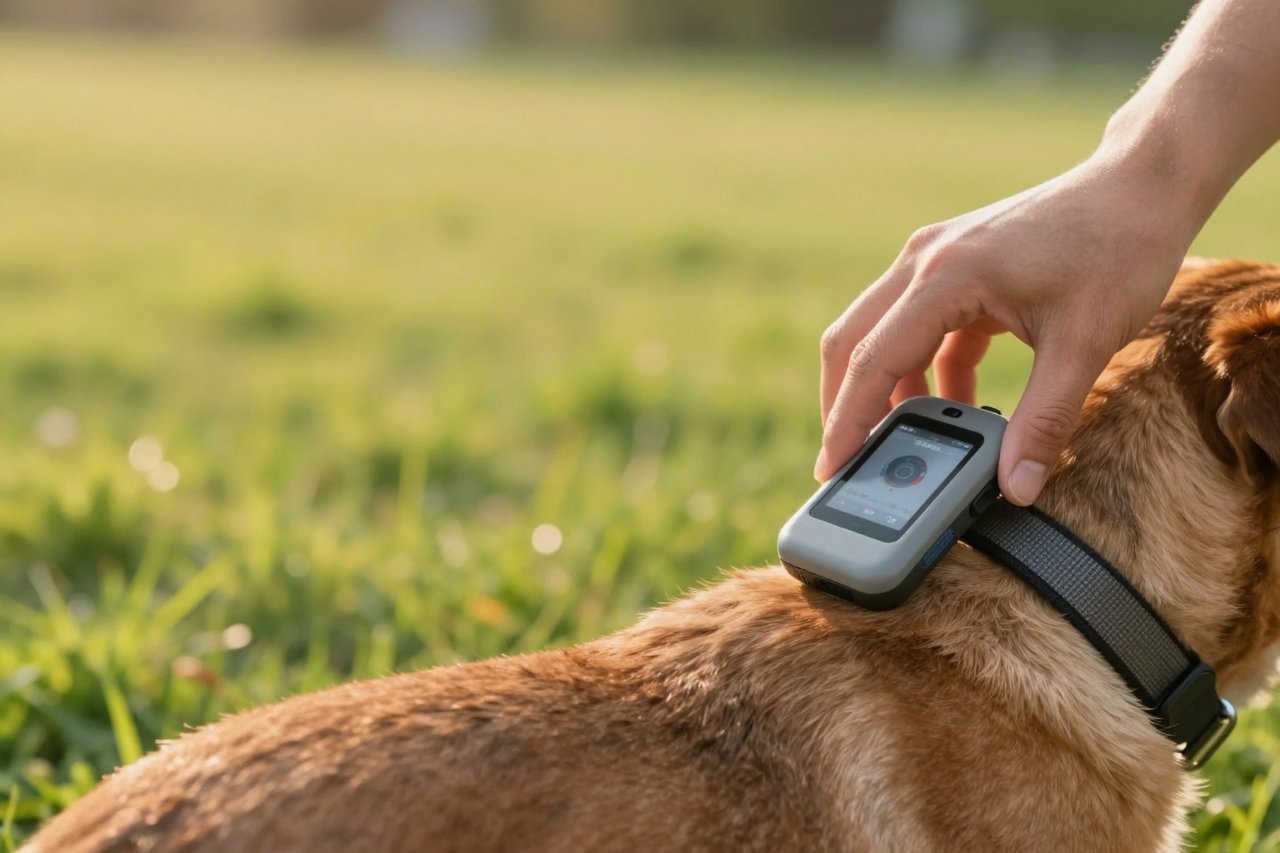
Many trackers ship with a rubber sleeve or a simple nylon loop that’s meant to slide onto a collar four inches long. If that collar is too loose or too thick, the tracker rotates to the bottom of the neck, and now you have a 100-gram weight bouncing against your dog’s throat. Worse, the sleeve can wear through after a few months, and a tracker that falls off in a field is the same as no tracker at all.
Take the time to fit the strap to your dog’s neck size. If the included hardware feels flimsy, buy a separate, branded collar that’s designed for the tracker. Some owners even use a second collar for the tracker, so the tracking unit stays even if the main collar breaks.
Myth 6: Set It and Forget It
Trackers are electronic devices, which means they have software. The app needs updates, the firmware occasionally needs a patch, and if your tracker uses a local SIM, that SIM needs to stay active. The problem is that most people only interact with the tracker when they’re walking the dog, so they never notice a version issue until something glitches.
The solution is a scheduled test run every month. Turn on the tracker, take a walk, check that the location updates, and then repeat the same process after any app update. If you want a systematic approach, our seven-step guide to setting up, testing, and trusting your dog GPS tracker is a good place to start.
Myth 7: Geofence Alerts Are Always Accurate
The geofence is the feature that says “your dog left the yard” but only if the tracker gets a clear fix on the boundary. GPS accuracy is typically 10 to 20 meters. If you set the fence 15 meters from the house, you’ll get alerts when your dog steps into an adjacent yard, or no alert at all because the dot is bouncing around inside the radius.
Start with a generous radius, test it from the edge of the property, and adjust. Simple features that work correctly matter more than flashy ones. The honest guide to dog GPS trackers explains which so-called premium features are actually useful in daily life.
Myth 8: The Tracker Will Make Up for a Lack of Training
This is the most dangerous myth of all. A tracker does not stop a dog from chasing a squirrel into a busy road. It only tells you where they went. If your dog’s recall is shaky, no app will save them. Use the tracker as a safety net, but keep working on that emergency stop command, just like you did before you ever heard of GPS.
Myth 9: One Tracker Fits Every Dog
Trackers are getting lighter, but there’s still a huge difference between a 30-gram model for a toy breed and a 150-gram unit for a German Shepherd. On a small dog, a too-heavy tracker can cause neck strain, and some dogs will stop eating or change their gait to get away from the strap. It’s not just about weight either, the collar width and clasp need to match the dog.
Know your dog’s weight and neck size before you shop. If you already own a tracker, a shorter, padded collar can distribute the weight better.
Myth 10: A Lost Dog Waits for You
Even with a perfect tracker, many lost dogs don’t behave like panic-stricken statues. They run in straight lines, cross roads, or hunker down in a thicket where GPS can’t reach. The tracker helps you reconstruct the route, but you still need a search strategy. Don’t just stare at the app and wait for the dot to move. Use the history to figure out the dog’s direction of travel, then work outward from the last known point.
Building a Tracker Routine That Actually Works
Every problem above comes down to one thing: you only discover the issue in the middle of the drama. The fix is boring but effective, it’s a routine. Here’s what a safe dog-owner routine looks like:
- Charge the tracker every night, even if the battery says 60 percent. You want a full charge before a morning walk, not a low-battery warning at sunset.
- Do a weekly test walk with the same collar and harness you use in real life.
- Set your geofence based on an actual test, not the map coordinates you guessed.
- Keep a spare collar with a tag that has your phone number, so you have a backup if the tracker fails.
- Read the manual in the first week, not in the middle of a crisis.
A dog tracker with GPS only works when you’ve taken it seriously. Once you’ve tested the features, learned the quirks, and made the operational habits part of your day, you’ll feel the security that the box promised. The only path to that feeling is to avoid the assumptions above, not to buy a fancier device.


