
Table of Contents
You open the back door and call. No jingle of tags. No paws hitting the kitchen floor. That short, sickening moment before a dog appears from behind the hedge is exactly where a tracker for your dog starts to earn its keep. If you are new to this gear, the choices look overwhelming: LTE, GPS, Bluetooth, subscription fees, coverage maps, battery specs. This guide strips it all down. No jargon dumps, just the fundamentals you need before spending money.
What a Tracker for Your Dog Actually Is
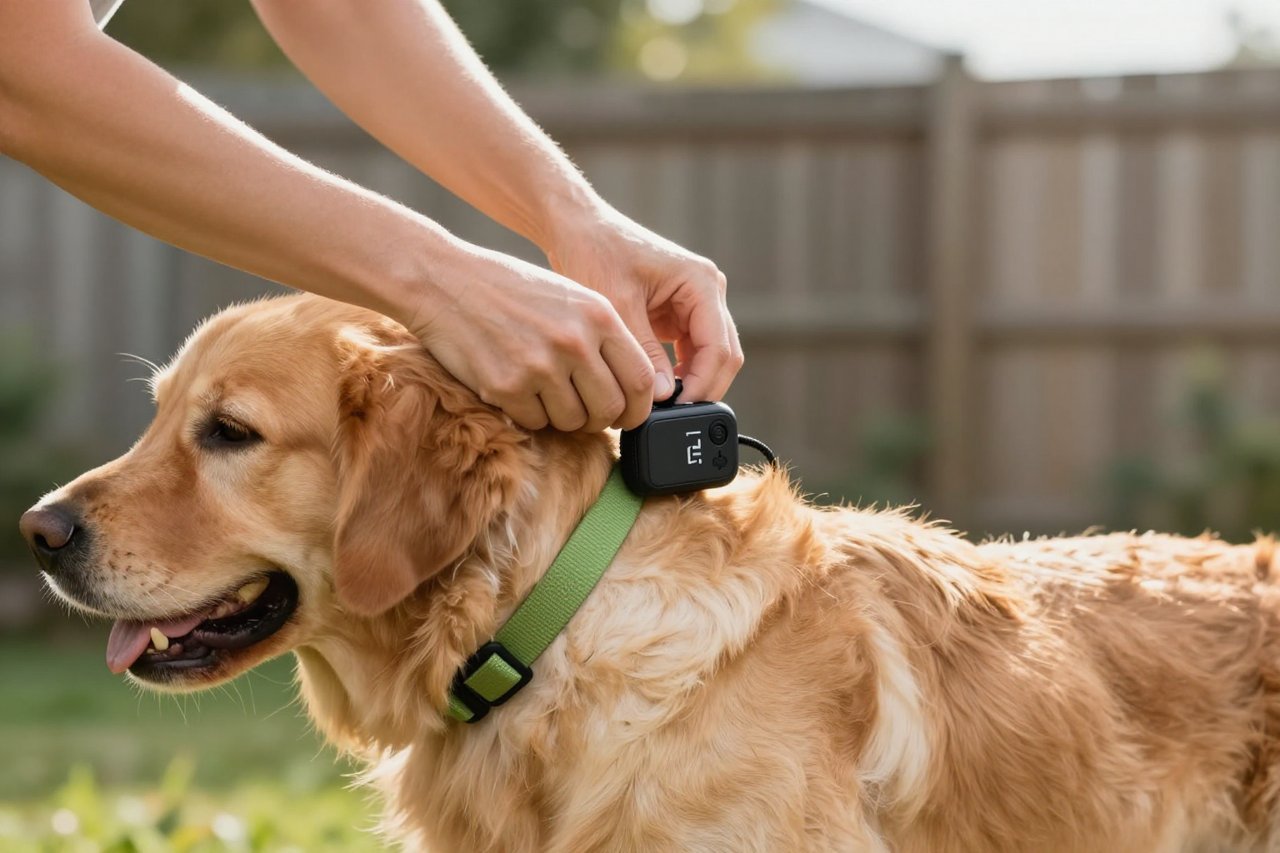
A dog tracker is a small electronic device that attaches to your dog’s collar and tells you where that collar is. It is not a microchip. The microchip your vet implanted is a passive identity tag that only works when someone passes a scanner over your dog and then calls the registry. A tracker is the opposite: it actively sends or receives location data so you can check your app or handheld receiver before panic turns into a lost dog.
Every system has three parts. The tracker itself, a network that carries the signal, and an app or receiver that shows you a location. The choices that matter all come down to that middle piece.
The Main Technologies: GPS, Bluetooth, and Radio
You will hear three terms over and over, and they are not interchangeable.

GPS Trackers
Consumer GPS trackers combine a satellite receiver with a cellular chip. The device finds its own position using satellites, then passes that location through mobile phone towers and on to your phone. That is why models from Tractive, Fi, Halo, and similar brands almost always require a subscription. The monthly fee pays for the data connection. The payoff is usually real-time or near-real-time location, anywhere within mobile coverage.
For an owner who hikes with a dog that loves to disappear over a ridge, a GPS tracker can be worth every cent. Updates typically arrive every few seconds or after a chosen interval depending on the model and plan.
Bluetooth Trackers
Bluetooth trackers are smaller, cheaper, and built for short distances. They connect directly to your phone up to roughly 100 metres in open space, and often far less indoors. Some newer versions piggyback on nearby phones to report the last known location, which is why they work brilliantly in a crowded city but not on an empty trail. They rarely need a subscription, but they also are not a true live tracker when the dog is out of range.
Radio Trackers
Radio-frequency trackers, which are common among hunting dog owners, come with their own handheld receiver instead of relying on your phone. Garmin makes well-known units in this category. They broadcast a private signal and can cover several kilometres in open ground, with no cellular dependency and no monthly bill. The catches are a higher purchase price and a steeper learning curve, because the receiver shows signal direction and distance rather than a map point by default.
If you want to see how the three stacks up side-by-side in deciding which is worth money, GPS, Bluetooth, or radio – which tracker for your dog is actually worth it takes you through that comparison with practical scenarios.
What a Tracker Can and Cannot Do
Set expectations before you buy. A tracker does not build a fence, cannot act as a leash, and won’t stop an anxious dog from squeezing under a gate. It will shorten the search after an escape. Instead of wandering the streets shouting, you will know exactly which garden your dog is in. That is real peace of mind, but it only comes with decent maintenance and a healthy awareness of limits.
- A tracker depends on battery. Dead battery equals no location.
- Signal matters. A car tyre shop surrounded by thick metal or a deep valley can delay or block updates.
- A GPS tag won’t help indoors as reliably as in open air.
- You still have to check for the occasional offline moment, especially after a major app update.
The correct way to think about a tracker is as a safety net, not a babysitter. Your dog should still wear an up-to-date ID tag, and you should still secure your garden. The tracker simply does the heavy lifting after a nervous gate latch gives way.
Choosing Your First Tracker: What Actually Matters
When you start browsing, ignore the marketing pages and start with four fundamentals. Coverage, battery, weight, and subscription price. A light tag that works in your neighbourhood is better than a feature-loaded brick with weak signal in your local park.
Make a short list of the places you walk. Do you stay close to the city? Bluetooth might be enough. Hiking through remote hills? Radio or a more rugged cellular GPS tracker is a safer bet. Open your banking app and realistically look at what a £7 or $12 monthly data plan will do to your budget over two to three years.
There are also hidden differences in how attachments clip to the collar, whether the case is waterproof enough to survive an hour in the stream, and how accurate the map pins actually are when you zoom in. Before buying, read the detailed breakdown in how to find a tracker for your dog that won’t let you down; it saved several owners from spending money on the wrong model.
Setting Up Your New Tracker Without Tears
Most returns for dog trackers happen within the first week and they all follow a similar pattern. The owner opens the box, clips the tracker to the collar, and walks off expecting perfection. Set it up properly this time instead.
Charge the unit overnight. Install the phone app and create an account while the tracker sits close to your router. Let the firmware update finish, even if that takes twenty minutes. After that, adjust any attachment straps so the device rests flat against the collar, not swinging around. A swinging tracker drains battery faster and can trigger false geofence alerts.
Then, and only then, set the geofence around your outdoor space and turn on notifications. Walk outside the boundary to test it. The alert should arrive on your phone before you get to the end of the street. If it doesn’t, you have fixed a problem at home instead of discovering it later in a real emergency.
For anyone who wants more detailed instruction at each step, the step-by-step guide to choosing a tracker for your dog and actually using it is worth bookmarking on your phone.
Common Beginner Mistakes to Skip
The first week is also when most owners learn what not to do. The most common error is thinking the app’s location screen is refreshable instantly, when some trackers report at intervals of 30 seconds or more to save battery. Another is confusing a Bluetooth device with a real-time GPS device when the dog vanishes in a park with no lanyard network nearby.
Then there is the tracking collar itself. Owners often attach it too loosely, and within a day the case rotates outward, collects grass, and rubs the hair off the dog’s neck. A snug fit with a finger width of space prevents much of that. And do not forget to write the renewal date for any subscription on your calendar; a tracker that has lapsed is a chunk of plastic you could have saved for emergencies.
If you want to avoid these traps entirely, reading through the list of 7 tracker for your dog mistakes most owners make is a wise and quick use of ten minutes.
Building a Habit That Lasts
Once your tracker is up and running, do not treat it as decoration. Many devices fail because owners only remember to charge them after a long weekend. Put the charger next to your keys, plug it in every night when you plug in your phone, or place the tag beside your dog’s food bowl at dinner time. A nightly charge combined with a quick glance at the app becomes an ordinary routine.
Spend the first month testing the geofence with a friend who takes the dog out of the yard. Take the tracker off for a walk in the worst-coverage area you know and see what happens. That is the moment when you start to trust the little piece of technology on your dog’s neck.
No device will replace the bond you have with your dog, but a working tracker buys you time on the worst day you hope never comes. It converts a frantic hour-long search into a short, precise rescue operation. That is what it is for.


