
Table of Contents
Every year, thousands of dog owners buy a canine GPS tracker with the same vision: a little device that will let them locate their runaway dog in seconds, no matter what. The sales pages suggest it’s that simple. The reality is a bit messier. A tracker is only as good as the network, the battery, and the way it’s fitted. Get those things wrong, and you’ll be staring at an app that shows a dog-shaped icon sitting near a road you’ve already searched for an hour.
The marketing rarely explains the caveats. The good news is that most problems are avoidable if you understand a few hard truths about how these devices actually work. Let’s walk through the most common mistakes, the myths that cause them, and the practical fixes that keep your dog safe.
The ‘Always-On, Always-Accurate’ Myth
Most people assume a GPS tracker works the same way your car’s sat-nav does. It doesn’t. A satellite signal gets you a location, but to send that location to your phone, the tracker needs a cellular connection — usually 4G or LTE. If your dog runs into a canyon, a dense forest, or a rural area with no phone signal, the tracker might know where it is but have no way to tell you. The tracker is only as accurate as the cell coverage near your dog.
Coverage maps look impressive, but they’re based on predicted ‘best case’ signal. Terrain, buildings, and even thick foliage can block the connection. I’ve seen a tracker stay frozen on a map for twenty minutes while a dog moved through a patch of pine forest. The device had GPS but no cellular link. That’s why it’s essential to consider the real trade-offs in coverage, cost, and battery life before you commit to a model.

The Battery Life Lie
Many trackers list their battery life as ‘up to 14 days’ in tiny print, but that number is usually achieved with a single daily check and no live tracking. If you keep the app open in ‘track now’ mode, the battery drains as fast as your phone’s worst day. Some GPS collars with live tracking last less than 48 hours. That’s a huge problem if you’re out on a hike and your dog bolts. You’ll want to check the tracker constantly, which depletes the battery even faster.
I tested a tracker that claimed a 7-day battery. With the live tracking feature active, it died in just under nine hours. The reason is simple: the device is constantly pinging the cell tower and sending data. That’s energy-hungry. So instead of trusting the manufacturer’s number, plan for the worst. Make charging part of your daily routine. Put the collar on its charger when you eat dinner or watch TV. That’s easier if you follow a proper setup checklist that includes charging habits, so it becomes automatic instead of an afterthought.
The Collar Fit That Fails
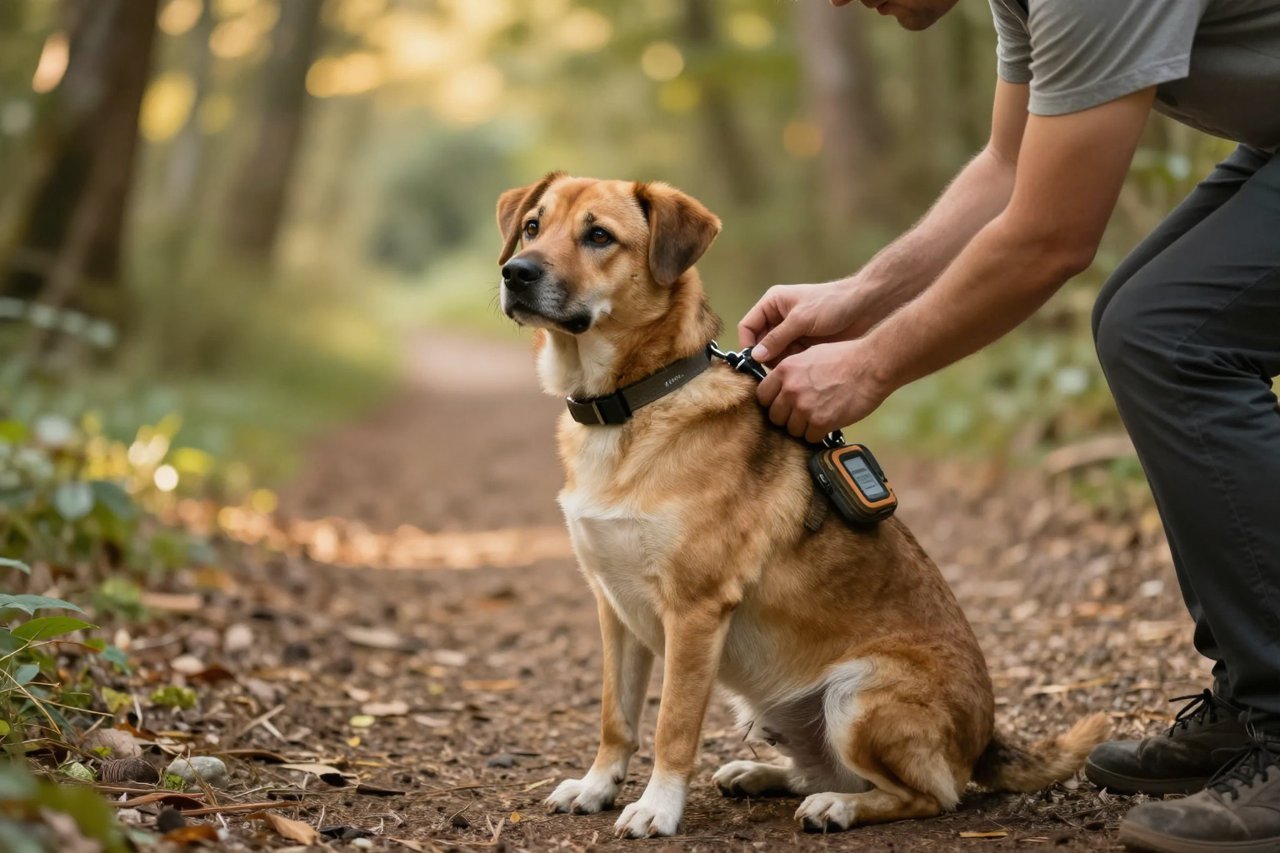
Trackers are hardware, and hardware fails when it’s attached poorly. The common mistake is buying a collar that’s too loose to be comfortable but tight enough for the dog to slip out. Actually, the opposite is more common: owners tighten the collar too much, and the dog feels the pressure, scratches at it, and eventually dislodges the tracker outright. Some trackers weigh 80 grams or more. On a small dog, that’s a heavy lump that can pull the collar to one side.
The balance between snug and safe is critical. You should be able to slide two fingers under the collar, but it shouldn’t rotate freely. Check the fit every few weeks—dogs gain and lose weight, and winter coats can change how a collar rides. Last winter, my terrier dropped two pounds after an illness, and suddenly his tracker collar could spin halfway around. That’s a formula for losing the tracker, or worse, having the dog slip out.
Also watch the hardware. Some collars have a breakaway feature for safety, but a breakaway collar is a bad place for a tracker. If your dog shakes hard enough, the collar breaks and the tracker falls off. If you need a breakaway style, consider a dedicated tracker harness instead. When you’re shopping, look for a tracker that fits your dog’s size and weight rather than grabbing the cheapest option.
The Live-Streaming Fallacy
Don’t expect a ‘find my dog’ app to behave like a police chase map. Most trackers update position every 15 to 60 seconds during live mode. If your dog is moving fast through heavy cover, that interval is long enough for them to cross a stream or disappear into a thicket before the next ping. Geofencing alerts are useful, but they can be delayed by signal and server load. One user I know got a ‘Fido left safe zone’ alert only after their dog had been gone for 12 minutes.
The lesson is to interpret the data rather than stare at it. If the last position is by the road and the next one is half a mile away, don’t waste ten minutes at the old pin. Move to the newer point immediately. Also learn how your tracker’s map refreshes. Some apps let you download offline maps beforehand, which helps a lot in remote areas. For a deeper look at these tactics, read a step-by-step guide to tracking your dog in the real world.
The Subscription Surprise
Many trackers have no upfront cost because you’re locked into a two-year contract. Others let you buy the hardware at a bargain price but then require a monthly subscription that adds up. A $200 tracker with $10 a month doesn’t sound bad until you do the math: that’s $320 after two years. Some brands charge extra for more frequent location updates. Make sure you know exactly what the plan covers, whether it includes use in other countries, and whether you can download coordinates at any time rather than only seeing them in the app.
Owners are often blindsided by these recurring costs, and it’s one reason the honest guide to never losing your dog again suggests treating a GPS tracker as a long-term investment, not a one-off gadget. Read the fine print. Calculate the total cost over two or three years, and ask about cancellation fees. A friend of mine got stuck paying for a tracker she had stopped using because she’d signed a 24-month agreement with a $50 early termination fee.
How to Avoid These Pitfalls: A Realistic Approach
We’ve covered the biggest mistakes. Here’s a practical way to sidestep them.
- Test your tracker in the places you actually walk. Turn it on, walk to a specific tree or post, and check the app’s accuracy. Do this in fog, rain, and dense woods. You’ll quickly learn if the tracker is useful or just decorative.
- Make a habit of checking battery and connection weekly. Most modern trackers have a low-battery notification, but only if they can send it. Open the app and verify the charge and last known location.
- Buy a backup plan. Some trackers have a loud noise or a small light, but those won’t help if the battery is dead. Keep an ID microchip current and put a collar tag with your phone number on the same collar. The GPS tracker is a tool that reduces the time it takes to find your dog, not a guarantee you’ll never lose him.
- Finally, remember that the tracker is only part of the story. If your dog is a flight risk, work on recall training, use a sturdy leash in risky areas, and address anxiety that can trigger running. The mistake is thinking the tracker solves everything. It doesn’t. It just gives you a head start.
Use the tracker as a supplement to good dog parenting, not a replacement.


