
Table of Contents
It’s 6:42 on a Tuesday evening. You’re pulling into the driveway after a long day, and your beagle, Daisy, is supposed to be waiting at the back gate. She isn’t. Your heart sinks as you spot the gap under the fence she’s been eyeing for weeks. That’s the moment every dog owner dreads. And it’s exactly the moment you’ll be glad you have a canine GPS tracker – but only if you know how to use it without fumbling through settings.
Plenty of people buy a tracker, charge it once, and never open the app again. Then, when the great escape happens, they’re lost. This guide is about turning that expensive gadget into an instinct. You’ll learn a step-by-step process that works in real, stressful situations – not just the demo mode.
Before the Emergency: Configure Your Tracker the Right Way
Here’s a hard truth: a GPS tracker is only as reliable as its setup. Skipping the configuration steps is like buying a fire extinguisher and never reading the instructions. You’ll figure it out, but you’ll waste precious seconds.
Start by giving the tracker a full charge. Most models need around two hours to reach 100% capacity. Don’t stop at 80% because you’re impatient. A tracker that dies at midnight when your dog bolts is useless. While it’s charging, download the app and create your profile. Then go through the placement steps carefully. If you’re starting from zero, this guide on how to set up a tracker for my dog covers the basics step by step.

Mount It So It Can’t Slip Off
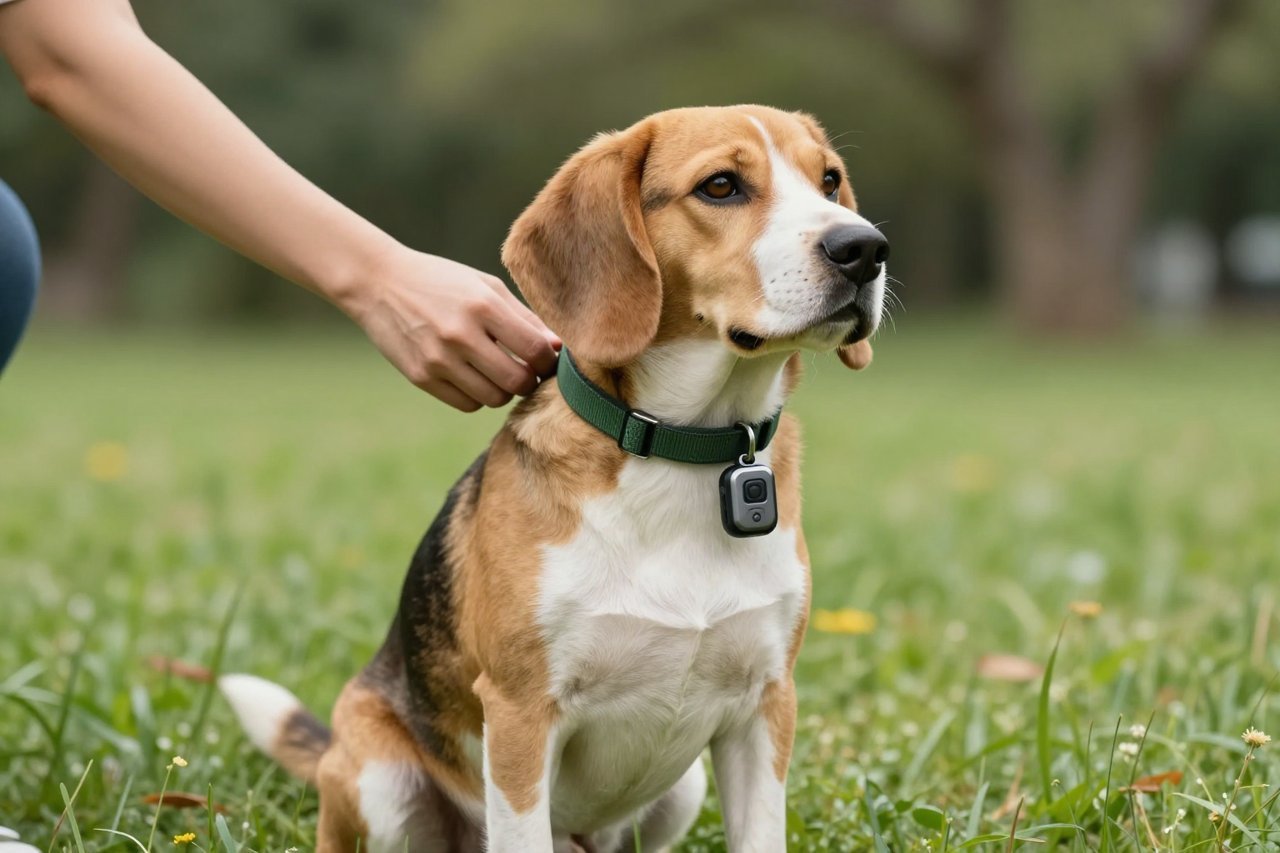
I’ve seen trackers fall off in tall grass – the plastic pod disconnects from the collar clip and vanishes. Secure the tracker with both a clip and a small zip tie if your model allows it. For dogs with thick necks or heavy coats, a collar that’s a half-size too big can let the tracker slide around. You want it snug enough that you can fit one finger between the collar and your dog’s skin.
If you haven’t bought a tracker yet, pay attention to the collar attachment design. A weak plastic clip will fail at the worst moment. This guide to picking a canine GPS collar that actually works helped me choose a tracker with a metal locking pin. And if you’ve got a small breed like a Cavalier King Charles Spaniel, a bulky tracker will bounce on their neck and cause skin irritation. The best 7 Cavalier activity trackers for 2026 are worth a look before you commit to a design that’s too heavy.
Set Up Safe Zones Before You Need Them
Safe zones are geofenced areas that trigger alerts when your dog leaves. Most apps let you set up to five. Don’t just map your house – map your yard, your local park, and your mother’s house if you visit often. Use the app’s map to draw a radius that covers the actual area your dog roams, not a tiny circle around the front door. A 50-meter radius sounds generous until your dog bolts across a neighbor’s field.
Once you’ve set the zones, test them. Walk your dog to the boundary and watch for the alert. If it doesn’t fire, you’ve got a permission problem – which is next.
Fix Your Phone’s Background Permissions
This is the silent killer of GPS tracking. If the app isn’t allowed to run in the background or use location services ‘always’, the live map freezes when the screen locks. On an iPhone, go to Settings > Privacy > Location Services and set the app to ‘Always’. On Android, you’ll need to disable battery optimization for the app. It’s tedious, but if you skip this step, you’re carrying around an expensive plastic lump.
Step-by-Step: Tracking a Dog That’s Already Gone
Let’s say Daisy just bolted. Your heart rate is up and your hands are shaking. That’s fine. Just follow this sequence.
Open the App and Let It Refresh
Force yourself to stand still for five seconds while the app locates the tracker. Don’t run. The tracker is updating its position via cellular. If you’re moving, your own GPS will confuse the map. The app will show a last known location with a timestamp. Tap the refresh icon and wait for a new ping.
Most trackers update every 60 to 120 seconds in standard mode. Some have a ‘live’ tile that updates every 2-3 seconds, but it drains battery. If you’ve used your tracker regularly, you know its pattern. If not, check the user manual.
Ignore the Map’s Assumptions – Look at the Last Direction
The map shows a single dot, but the dot isn’t a target. It’s an average. The tracker reports the position at the last update, but your dog keeps moving. Look for a trail of points, not just the newest one. If all points are moving northeast, Daisy is heading toward the creek, not lingering behind the shed. Use that trend to cut a path that intercepts her, rather than walking to the exact dot.
In a dense forest, GPS accuracy can drop to 20-30 meters. That’s a big error when you’re searching for a small dog. The dog tracker guide from a few months ago does an excellent job of explaining which tracking types handle this challenge differently.
When You’re Close, Switch to the Ranger Mode
Most modern trackers have a secondary Bluetooth or sound mode. Once you’re within 30 meters, the GPS is too coarse to find a dog behind a bush. Turn on the audible beep, or if it’s night, use the light feature. If your tracker has a compass arrow on the app, hold the phone flat and move slowly until the arrow points at the dog. I’ve seen owners walk right past a hidden dog because they stared at the map instead of the arrow.
Real-Life Scenarios: See How It Plays Out
These are the three most common situations I’ve seen in years of writing about tracking equipment for Booboone, and honestly, the outcomes differ.
Scenario 1: The Fence Digger
Maggie, a two-year-old husky, dug out under the fence on a rainy night. Her owner, Tom, got the safe-zone alert on his phone while still in the kitchen. He opened the app and saw a point at the end of the street, and then another 100 meters further. He got in the car and drove slowly down the road, using the app as a beacon. Within six minutes he spotted Maggie soaking wet in a neighbor’s unfenced yard. The key? He didn’t panic, and the tracker had a full battery.
Scenario 2: The Hiker Who Trusted the Map Too Much
Chad and his border collie, Bear, went hiking on a trail with switchbacks. The map showed Bear’s location as the valley floor, but Chad kept trying to find a straight-line path that didn’t exist. He ignored the trail route and bushwacked through dense scrub, wasting an hour. A better approach: look at the map’s elevation data (if available) or simply follow the trail to the last point’s direction. Chad would have caught up with Bear at the junction 20 minutes sooner if he’d paid attention to the timeline.
Scenario 3: The Urban Blind Spot
In a city with tall buildings, GPS signals bounce off concrete. Sarah’s terrier slipped his leash near a busy intersection. The app showed the tracker flickering between positions on two different streets – actually a reflection. Sarah stopped moving, waited 30 seconds for a more consistent signal, and then used the sound feature to find Milo hiding in a doorway. Remember that urban canyon environments are brutal for GPS. Move to an open area and wait for a stable point.
Advanced Tips for a Tracker That Actually Works
- Update the firmware. Manufacturers add bug fixes for GPS drift and battery drain. Check for updates every few weeks.
- Use the history log. If your dog escapes regularly, the app’s route history shows her favorite exit points. Patch those fences or adjust your safe zone accordingly.
- Carry a backup plan. No tracker can work where there’s no cell signal. In remote areas, a Bluetooth-based tracker won’t help. A simple ID tag and a whistle may be your best backup.
On that last point: satellite trackers are the only ones that work truly off-grid. But they come with a monthly subscription and still have stale updates in heavy tree cover. If you’re taking your dog into the backcountry, prepare for lags and false confidence. In those cases, always keep a loud recall command or a whistle. For a broader comparison, there’s an honest guide to never losing your dog again that includes opinions on these limitations.
What to Do When the Tracker Doesn’t Find Your Dog
Even with the best setup, you can hit a dead zone. The tracker might be out of cellular range or the battery died after a long run. Don’t wait until the tracker is at zero to act. If you haven’t gotten a location update in 10 minutes, assume the tracker is dead or offline. Then, switch to traditional search tactics. Call your vet, local shelters, and post to neighborhood groups. The tracker is a tool, not a guarantee.
Just last month, my friend’s golden retriever slipped his harness in a state park. The tracker showed him last at a picnic area, and then the signal vanished because the park had no cell coverage. They spent four hours searching, and he came back on his own at dusk. The tracker didn’t find him – but it did let them know he’d stayed near the park, so they didn’t waste time searching outside it. That’s pragmatic success, not an adventure movie.
Once your dog is back, clean the tracker and check the charging contacts. Wet connectors are a common failure point. And then take a moment to develop a daily habit: open the app once a day, check the battery level, and glance at your dog’s current location. It takes ten seconds. That discipline makes all the difference.


